


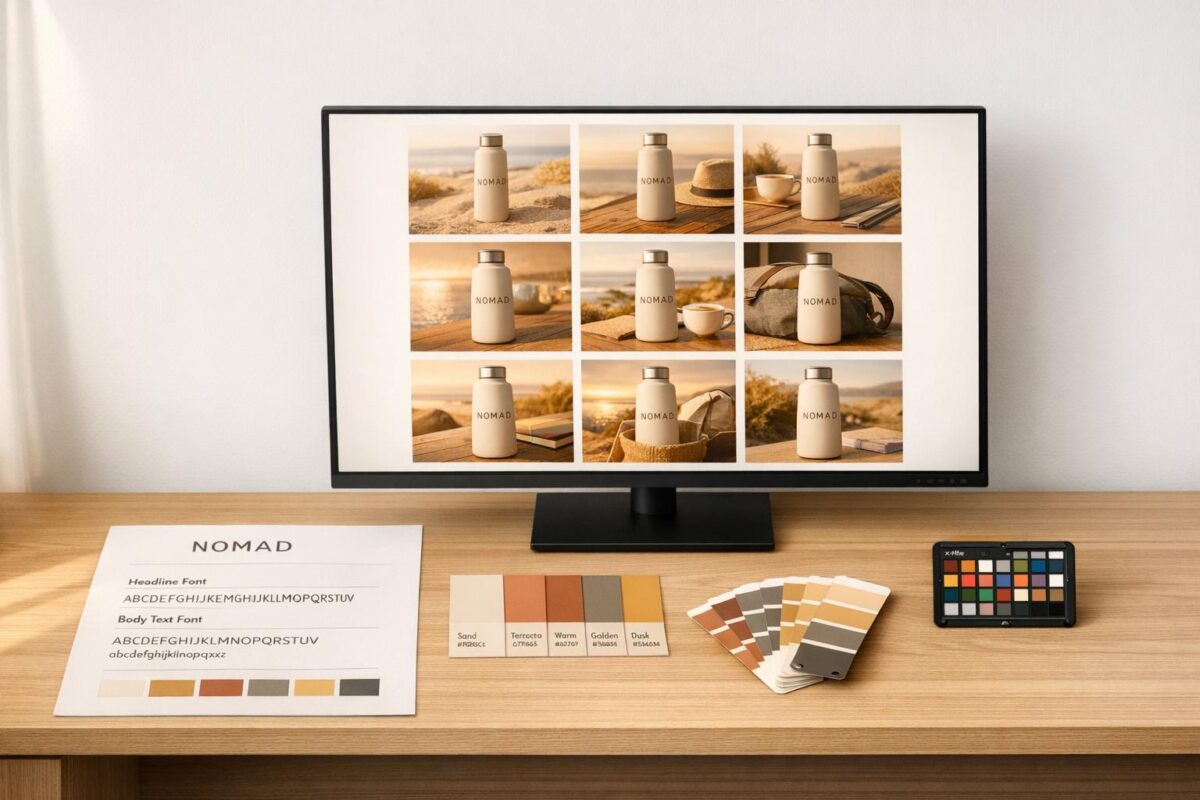
AI image generators can help businesses maintain consistent visuals across platforms like Instagram, websites, and email campaigns. By transforming text prompts into high-quality images, these tools ensure brand-specific elements – like colors, lighting, and typography – stay uniform. Custom AI models trained on 10–50 brand-specific images can replicate your visual identity, while centralized Brand Kits store logos, color codes, and fonts for automated use.
Key Benefits:
- Save time and reduce costs by automating image creation.
- Maintain brand recognition and trust with consistent visuals.
- Use machine-readable brand guidelines for precise results.
How It Works:
- Upload brand assets (logos, colors, typography) into a centralized hub.
- Train custom AI models for your brand’s style.
- Use detailed prompts to generate on-brand visuals.
- Refine outputs with editing tools and quality checks.
AI tools like My Rich Brand combine automation with human oversight to ensure accurate, professional visuals for all digital channels. Investing in visual consistency can boost revenue by up to 23% and save significant time for marketing teams.
Create AI Images That Match Your Brand Guidelines
sbb-itb-c00c5b1
Setting Up Your Brand Visual Guidelines
To ensure AI generates visuals that align with your brand, you’ll need to translate your brand identity into clear, machine-readable instructions. While traditional brand guidelines for designers may rely on subjective descriptions, AI demands precise, measurable directives.
Core Elements of Brand Guidelines
Start with your color system. Specify exact HEX codes, such as #184F35, and define usage ratios for each color. For example, primary colors might account for 60–70% of your visuals, secondary colors for 20–30%, and accent colors for 5–10%. Include WCAG contrast ratios (e.g., 4.5:1 for normal text) to ensure accessibility standards are met.
For logos, provide exact dimensions and spacing rules. For instance, specify, "Maintain a clear space of 1.5x the height of the logo ‘E’ around all sides." Include minimum size requirements for both print and digital formats. Additionally, list all approved logo variations – primary, secondary, and monochrome – along with their intended use cases.
When it comes to typography, go beyond listing font families. Describe the tone the typography should convey, whether bold and assertive or subtle and elegant. Document specific details like font weights, line heights, and letter spacing. Pair these with descriptive adjectives to further clarify the intended mood.
Your visual DNA should be outlined with technical detail. Instead of vague terms like "warm lighting", specify settings such as "3500K color temperature with soft directional light from the left." Include composition rules like the "rule of thirds" or "eye-level camera angles", and describe texture preferences, such as "matte finish with subtle grain." Provide 2–4 example images that align with your brand and 1–2 anti-reference images to illustrate what to avoid.
Develop prompt templates tailored to your brand’s needs. A simple format might look like: [subject] in [brand style] with [color treatment], [lighting], [mood]. Clearly list prohibited elements, such as "no neon gradients", "no drop shadows", or "no overly staged stock photography", to prevent deviations from your brand’s style.
"Brand guidelines are most likely written for humans, not for machines. It interprets words like ‘clean tech-forward’ or ‘friendly icons’ through its own training data, not your brand context." – Venngage
Finally, optimize your brand’s AI integration by organizing these guidelines into a system that your tools can access seamlessly.
Organizing Your Brand Assets
Convert static, printed guidelines into machine-readable formats, such as JSON, to enable direct AI integration. This shift from static PDFs to dynamic, self-updating systems ensures consistency across all outputs.
Establish a centralized brand hub to house all your assets. Store logos in SVG format, color codes in multiple formats (HEX, RGB, CMYK), and approved typography files. Organize these into a clear structure – such as Primary Logos, Secondary Logos, Color Palettes, and Typography Scales – along with explicit usage instructions for AI reference.
Create a reference image library with 5–10 photos that showcase your brand’s lighting, composition, and mood. These images act as visual benchmarks for training AI models or refining prompts. For instance, Google Cloud demonstrated this approach in 2026 with Cymber Coffee, using Gemini’s multimodal capabilities. The system identified and corrected deviations – like a green shade of #1A5238 instead of the required #184F35 – and fine-tuned prompts over 3–5 iterations to ensure brand accuracy without manual adjustments.
Develop master prompt templates with variables for product descriptions, allowing team members to generate on-brand visuals effortlessly. Incorporate your brand’s 6–10 style-defining adjectives (e.g., "minimal, soft directional light, generous whitespace") into each prompt to provide immediate clarity.
The benefits are compelling: consistent branding across platforms can boost revenue by up to 23%[9]. Marketers using AI-integrated brand kits report saving about one workday every two weeks. For example, Siemens Healthineers implemented a centralized Digital Asset Management system in 2024, saving over €3.5 million[8].
Selecting an AI Image Generator for Your Business
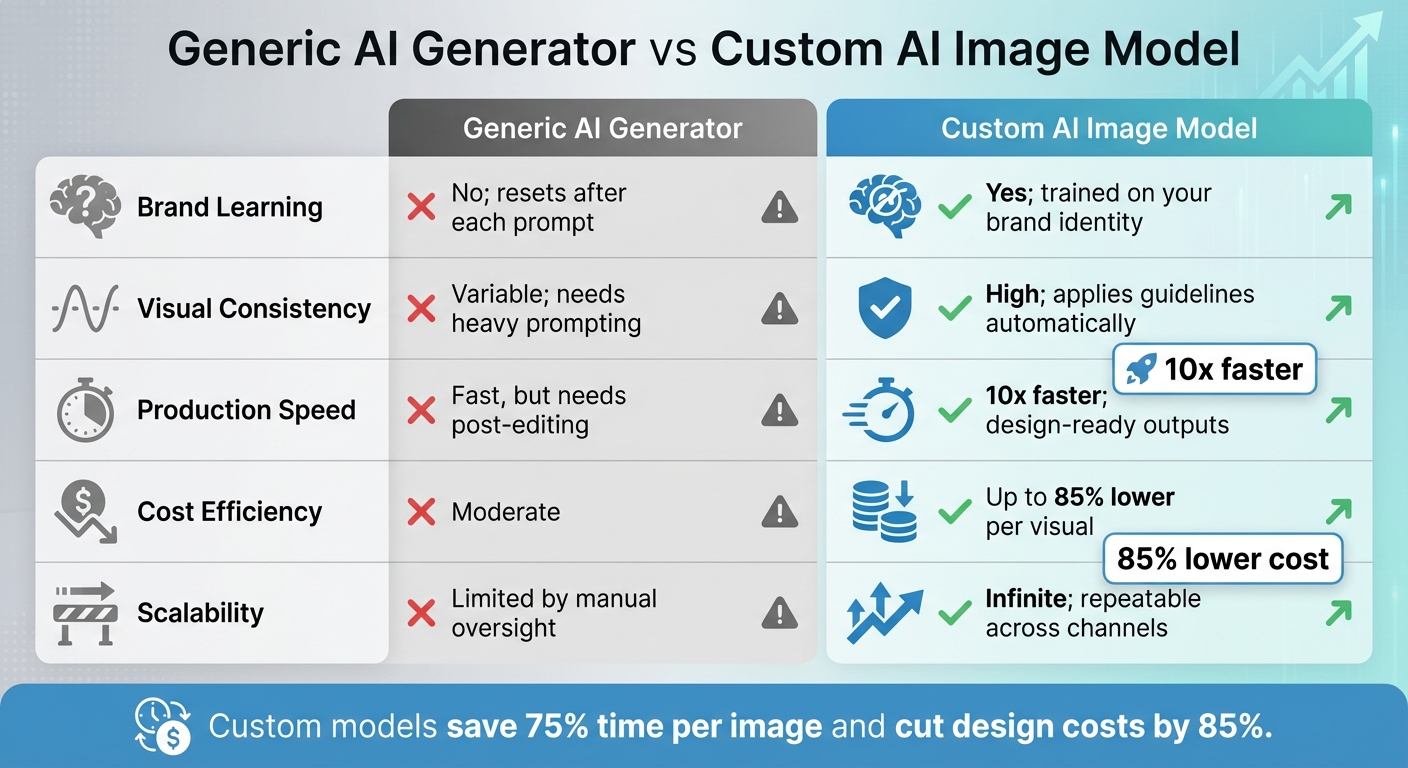
Generic vs Custom AI Image Generators: Brand Consistency Comparison
When choosing an AI image generator, it’s crucial to prioritize tools that can deliver consistent and reliable brand visuals. Why? Because consistency matters – a lot. Studies show that 90% of consumers expect brands to maintain a uniform experience across all channels, and failing to meet this expectation can cost businesses an average of $2.1 million in lost opportunities [9]. Your decision here directly affects your bottom line.
Key Features to Consider
To start, make sure the platform includes a centralized brand hub. This hub acts as a repository for your logos, color codes (HEX, RGB, CMYK), typography, and design patterns. With these elements stored and automatically applied, every image generated adheres to your brand standards without requiring constant manual input [1][5][10]. Without this feature, you’ll find yourself resetting your branding with every new prompt.
Another must-have is custom model training. This feature allows the AI to learn your brand-specific visuals, such as lighting, textures, and composition styles [11][3][10]. As Phillip Maggs, Director of Generative AI Excellence at Superside, explains:
"No amount of prompting will teach these tools your brand. That’s not how they’re built… Custom AI image models change that. These specialized tools remember." [11]
The benefits are clear: businesses using trained AI models report spending 75% less time per image and cutting design costs by 85% [11][3].
Don’t overlook product preservation features. These ensure that the AI maintains precise product details while adding realistic shadows and reflections. This is especially important when 85% of shoppers cite product photos as a key factor in their buying decisions [1][2][10].
Lastly, consider tools with AI brand governance. These systems monitor generated content in real time, flagging issues like color mismatches, incorrect logo placement, or typography errors before anything goes live [1][5][10]. Features like reusable master prompts also make it easy for teams to produce consistent visuals without needing advanced technical skills [1][4].
When combined, these features ensure that every image reinforces your brand identity, saving time and money while maintaining quality.
| Feature | Generic AI Generator | Custom AI Image Model |
|---|---|---|
| Brand Learning | No; resets after each prompt | Yes; trained on your brand identity |
| Visual Consistency | Variable; needs heavy prompting | High; applies guidelines automatically |
| Production Speed | Fast, but needs post-editing | 10x faster; design-ready outputs |
| Cost Efficiency | Moderate | Up to 85% lower per visual |
| Scalability | Limited by manual oversight | Infinite; repeatable across channels |
How My Rich Brand Supports Visual Consistency
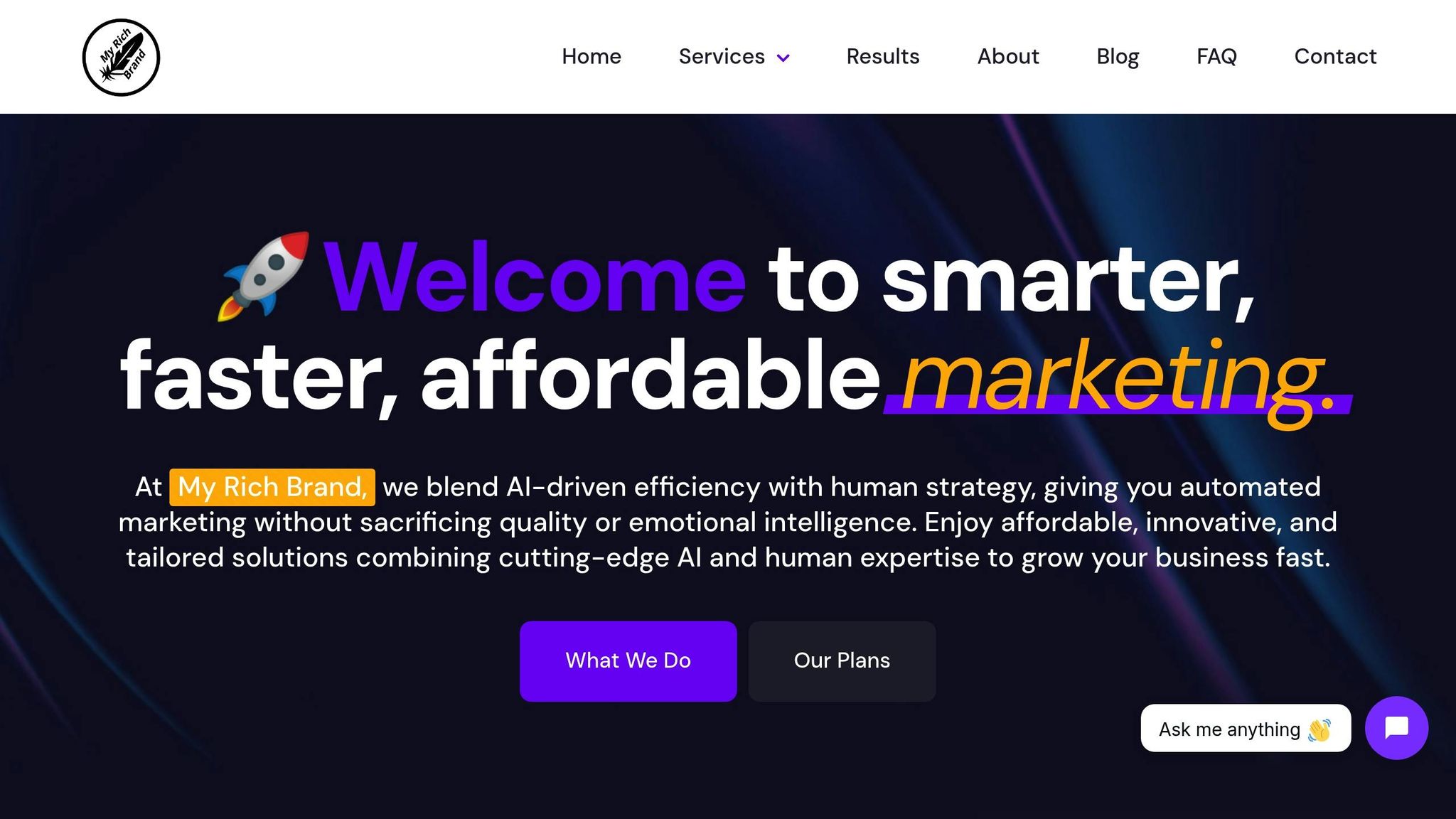
My Rich Brand takes these principles to the next level. Their AI-powered web design and marketing automation services integrate brand consistency into every visual element. Instead of treating AI image generation as a standalone task, they weave it into a broader digital marketing strategy. This ensures that visuals align seamlessly with SEO content, ad campaigns, and website designs.
Their approach balances AI efficiency with human oversight. While the AI generates on-brand visuals at scale, experienced marketers step in to review outputs for quality, potential bias, and legal compliance. This prevents the style drift that can sometimes occur with fully automated systems [1][5].
For businesses managing multiple platforms – like social media, email campaigns, and website updates – My Rich Brand’s marketing automation ensures that technical details (such as 3500K color temperatures or eye-level camera angles) stay consistent across every channel. This combination of automation and expertise guarantees that your brand visuals remain polished and professional at all times.
How to Use AI Image Generators for Consistent Visuals
To ensure AI-generated visuals align with your brand’s identity, start by translating your brand guidelines into precise, machine-readable instructions. Here’s a three-step process to achieve consistent results.
Step 1: Upload Your Brand Assets to the AI Tool
Begin by uploading 10–50 high-quality visuals that reflect your brand’s style, including consistent lighting, color tones, and composition [3]. These should include key elements like logos in multiple formats, exact color codes, typography files, and design patterns [10][9].
Organize these assets into a centralized "Brand Hub" or "Brand Kit" within your AI tool. You can categorize them by product line, campaign theme, or use case – such as product photography versus lifestyle imagery [4][10][1]. Include 5–10 "hero" images that perfectly capture your brand’s aesthetic, along with 1–2 "anti-references" to highlight what to avoid [8][4].
For brands requiring a large volume of visuals, consider training a custom model. Fine-tuning methods like LoRA (Low-Rank Adaptation) can deliver over 95% consistency across outputs [4]. Additionally, convert your static PDF guidelines into formats like JSON to establish clear rules for logo spacing, color hierarchy, and typography scales [9]. This ensures the AI sticks to your brand standards without veering into unwanted creative territory.
Once your assets are uploaded and organized, the next step is crafting precise prompts to guide the AI.
Step 2: Write Prompts Based on Your Brand Guidelines
Effective prompts translate your brand’s abstract qualities into specific, technical instructions. As CustomGPT.ai explains:
"Your traditional brand guideline template is inadequate for governing AI… It must evolve into ‘brand-as-code,’ a technical playbook that functions like an API for your visual identity." [5]
Structure your prompts by combining Brand essence (adjectives, audience) + Subject + Setting + Materials/Finishes + Camera/Lighting + Technical Parameters. Use detailed descriptors like "matte recycled nylon", "3500K color temperature", or "rule of thirds composition" to provide clear guidance [12][5].
Define your color hierarchy explicitly, specifying roles for each shade – e.g., "Primary: Moss Green #2E553D, Accent: Clay #C46D48" [12][13]. To avoid off-brand elements, include negative constraints like "exclude lens flares" or "no generic stock photo vibes." Locking the same seed parameter across batches also helps maintain uniform composition and lighting [12][8][14]. Pair these text-based prompts with image references to anchor the AI in your brand’s geometry and palette [13][14].
Once you’ve optimized your prompts, the final step is refining the AI outputs to ensure they meet your standards.
Step 3: Edit and Refine the Generated Images
Fine-tune the AI-generated visuals using editing tools. For targeted adjustments, use Inpainting to modify specific areas with natural language instructions, such as "change hat color to red", without regenerating the entire image [15][2]. With Generative Extend (Outpainting), you can expand images beyond their original dimensions – for example, turning a square social post into a landscape header [15][2].
Tools like Image Harmonization can automatically adjust lighting, shadows, and color temperature to match your brand’s look [1][2]. For vector assets, Adobe Illustrator’s Generative Recolor feature allows you to align AI-generated colors with exact brand hex codes [13].
In January 2026, Google Cloud Solution Architect Yan Sun created an automated review pipeline for the fictional brand Cymber Coffee. Using Gemini, the system identified color deviations and refined prompts iteratively until assets achieved 100% color accuracy [6]. As Sun explains:
"The pipeline won’t produce perfect results on the first generation. Instead, plan for three to five iteration cycles before an asset meets all your brand requirements." [6]
To ensure quality, establish a QA rubric with a scoring system (1–10) to assess factors like color accuracy, lighting consistency, and composition alignment before publishing [4]. This iterative process is essential, especially since 85% of shoppers consider product photos a key factor in their purchasing decisions [2].
Maintaining Visual Consistency Over Time
As your brand grows and adapts, keeping your visual identity consistent becomes a challenge. Regularly updating your brand guidelines and leveraging technology can help maintain that consistency. Transitioning static PDFs into dynamic, machine-readable systems is one way to ensure AI tools can automatically apply your guidelines.
Update Your Brand Guidelines Regularly
Clear guidelines and organized assets are a great start, but they need to evolve over time. To keep pace, consider turning your guidelines into a "brand-as-code" system – a technical framework that AI tools can interpret and apply seamlessly [5][8]. For instance, instead of vague instructions like "use warm lighting", provide precise specifications such as "3500K color temperature, softbox key light at 45° left" [5]. Replace general color descriptions with exact hex codes, and update your digital brand kits whenever your visual identity changes.
Take Telefónica as an example. The company centralized its brand materials into a single, dynamic hub. Cristina Terrón Moreno, Account Manager, explained:
"Being able to manage all brand materials and workflows at the same time in one unique space for all countries and brands is the main benefit and a milestone" [16].
This approach allowed Telefónica to update its guidelines instantly across regions, reducing the risk of inconsistent branding. This is crucial, considering that brand dilution can cost mid-sized and large businesses over $6 million annually [16].
To stay ahead, adopt a four-week cycle: generate images, identify inconsistencies, refine your master prompts, and compare regenerated outputs [4]. Think of your prompts like software code – use semantic versioning to track changes. For example, start with v1.0, then move to v1.1 when you tweak lighting parameters. This way, you can revert to earlier versions if updates don’t meet expectations [4][8]. When launching new products, upload 5–10 key "hero" images to retrain your AI on the updated aesthetic [1][10].
Once updated, regular audits ensure your guidelines continue to align with your brand’s vision.
Review and Measure Visual Performance
A consistent visual identity requires ongoing evaluation. Develop a QA rubric to score assets on a 1–10 scale across essential metrics like color accuracy, lighting consistency, composition, style alignment, and overall quality [4]. For instance, you might set a minimum publishable score of 40 out of 50, with any image scoring below 35 requiring regeneration [4].
Conduct weekly audits on 10% of your AI-generated outputs using this rubric [4]. These audits help refine your prompts and track key performance indicators like Failure Rate (the percentage of images scoring below your threshold) and Regeneration Rate (how often images require a second attempt). Aim to keep these rates under 10% and 15%, respectively [4].
Additionally, automated Brand Agents can monitor assets in real time, flagging off-brand elements such as incorrect colors, misplaced logos, or tonal inconsistencies [1][16][6]. These systems catch issues that human reviewers might overlook, especially when managing large-scale content production. This is vital considering that 90% of consumers expect consistency across all marketing channels [9], and a consistent brand presentation can boost revenue by as much as 23% [9]. By integrating these tools and practices, you not only protect your brand identity but also strengthen your bottom line.
Conclusion
AI image generators are a game-changer for creating consistent brand visuals at scale. By using custom AI models, businesses can cut production costs by up to 85% [3], while consistent branding has the potential to boost revenue by as much as 23% [9]. Plus, with brand recall driving 38.7% of brand lift in emerging media, the impact of strong visual consistency is undeniable [1][10].
That said, AI isn’t the whole story. While it takes care of repetitive tasks like color matching, logo placement, and resizing, your team can focus on what really matters: strategy, storytelling, and ensuring quality [1][6]. This balance allows you to ramp up content production for global markets and multiple platforms – without the need to expand your creative team [3][2].
To make this work in your process, start by digitizing your brand guidelines. Train your AI on 10–50 high-quality visuals to reflect your brand’s unique style. Then, implement a mix of automated and human quality checks to keep everything on point [6][9][3][17][7].
My Rich Brand offers a blend of AI-driven tools and expert marketing strategies to help businesses maintain visual consistency across every platform. Their approach ensures that AI handles the labor-intensive tasks while their team focuses on guiding your brand strategy. The result? A polished, cohesive visual identity that resonates across all channels.
FAQs
How many brand images are needed to train a custom AI model?
To train a custom AI model for brand visuals, you’ll generally need 10 to 20 high-quality images. Some experts believe that even 10 well-chosen images can be enough to create an effective model. The key is to ensure these images truly reflect your brand’s unique style and aesthetic to achieve the best possible outcome.
What should I include in machine-readable brand guidelines?
Machine-readable brand guidelines need to provide clear, measurable instructions to ensure AI-generated visuals stay consistent with brand identity. Start with the essentials: define the color palettes, typography, imagery style, and design patterns that represent your brand. These elements should be precise and leave no room for ambiguity.
To maintain consistency, include standardized prompts, reference images, and templates. These tools act as a roadmap for AI systems, helping them produce outputs that align with your vision. Pair these with frameworks like digital asset management systems and a well-organized content taxonomy to keep everything structured and under control.
It’s crucial to keep these guidelines detailed and well-organized while ensuring they are flexible enough to accommodate AI systems’ interpretation capabilities. This balance helps maintain reliability across all outputs while staying true to the brand’s identity.
How do I quality-check AI images before publishing?
To keep AI-generated images aligned with your brand standards, leverage tools that evaluate critical aspects such as resolution, sharpness, format, and orientation. These tools are invaluable for spotting visuals that might be off-brand or lack quality, making the approval process smoother and ensuring uniformity across your content. Additionally, conducting regular audits can help you review factors like usability, fairness, and overall performance, ensuring that every image adheres to your established guidelines.