


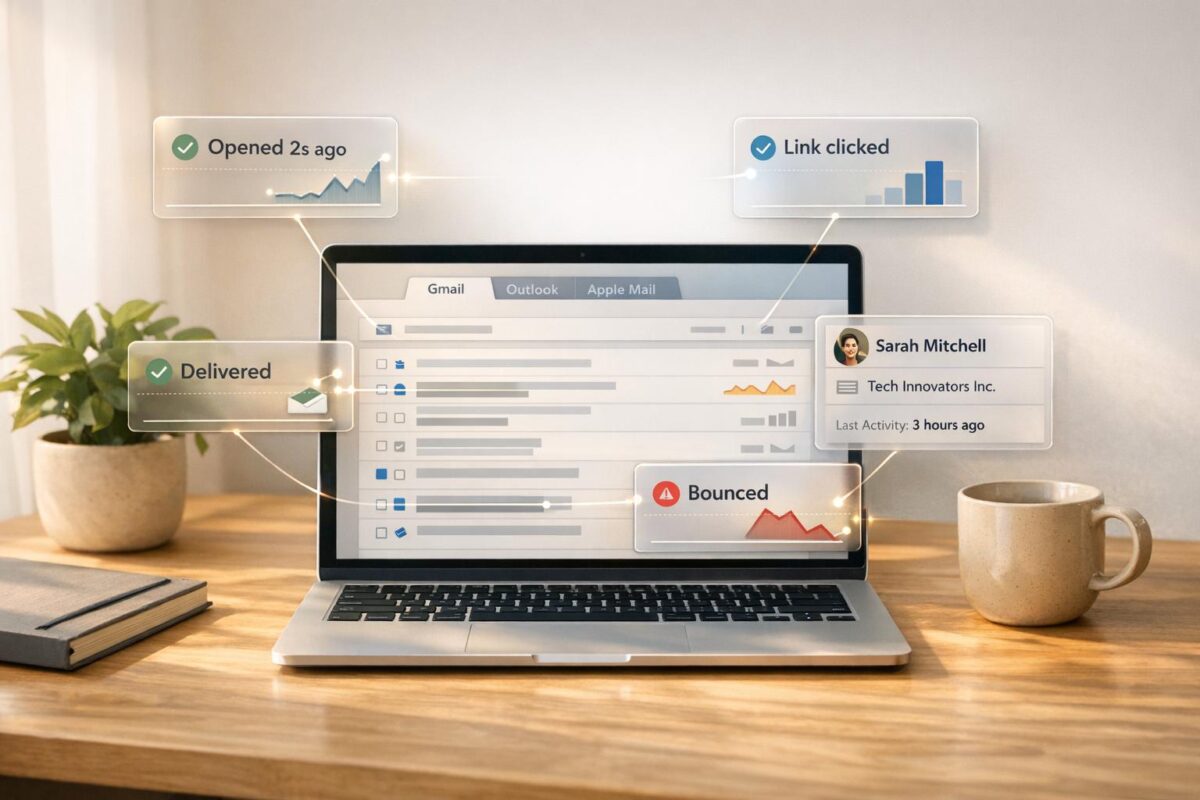
By 2026, email tracking tools are essential for sales and marketing teams. These tools not only track email opens and clicks but also improve email deliverability, ensuring messages land in recipients’ inboxes instead of spam. Key players in this space include Salesflare, HubSpot, Mailbutler, and others – each offering unique features tailored to different business needs.
Key Takeaways:
- Top Picks: Salesflare (best for B2B), HubSpot (CRM integration), Mailtrack (affordable Gmail tracking), and Mixmax (team collaboration).
- Pricing Starts At: Free (Mailtrack, Snovio) to $29/month (Salesflare, GMass).
- Best Platforms Supported: Gmail dominates, with tools like HubSpot and Salesflare also supporting Outlook.
Quick Comparison:
| Tool | Platforms | Free Plan | Paid Plan Starts At | Key Feature |
|---|---|---|---|---|
| Salesflare | Gmail, Outlook | Trial | $29/month | High deliverability (9.4/10), CRM-focused |
| HubSpot | Gmail, Outlook | 200/month | $15/seat/month | CRM integration, predictive lead scoring |
| Mailtrack | Gmail only | Unlimited | $2.99/month | Simple Gmail tracking, no extra features |
| Mixmax | Gmail only | 20/month | $9/month | Team collaboration, live feed dashboard |
| Snovio | Gmail only | Unlimited | $39/month | Lead generation, outreach campaigns |
For Gmail users, tools like Mailtrack and GMass offer budget-friendly tracking. Salesflare and HubSpot provide advanced CRM features for businesses needing more robust solutions. Choosing the right tool depends on your email platform, budget, and need for advanced features like automation or CRM integration.
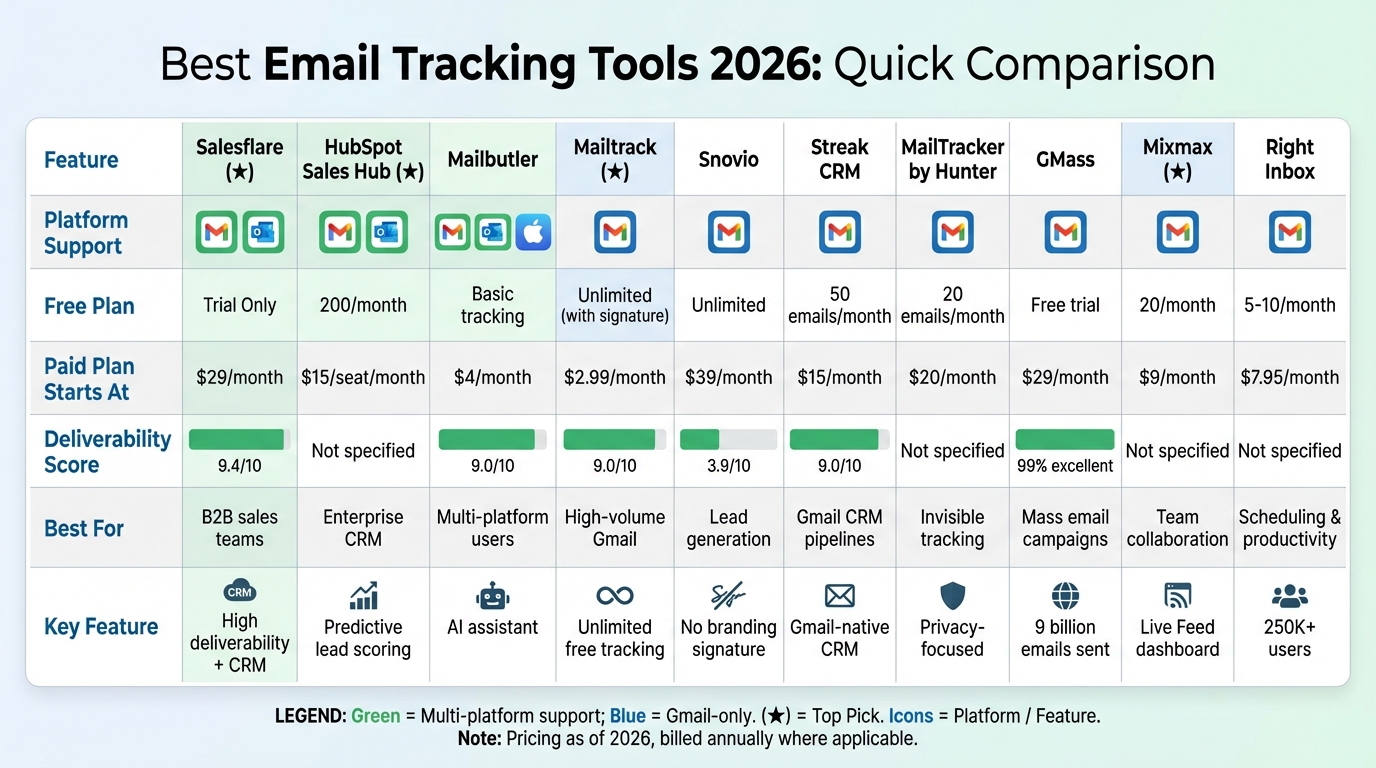
Email Tracking Tools Comparison 2026: Features, Pricing and Platform Support
I Found A $19 Email Tracker For Gmail & Workspace! (MixMax Alternative)
sbb-itb-c00c5b1
1. Salesflare CRM
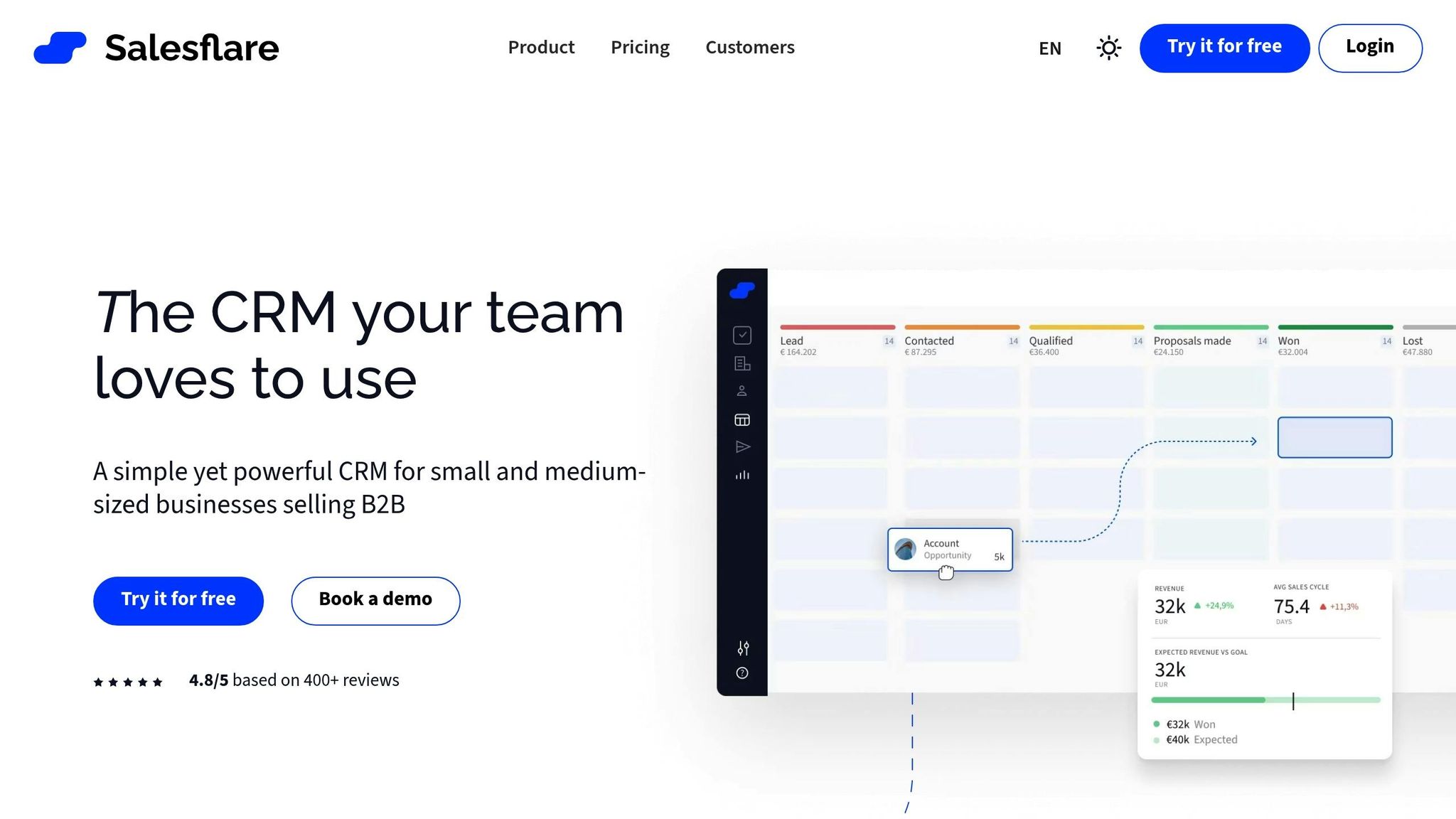
Salesflare earns an impressive overall score of 9.9/10 [8]. As Co-Founder & CEO Jeroen Corthout describes it:
"Salesflare is not just email tracking software. It is the most advanced and automated email-integrated CRM for small and medium-sized businesses who sell B2B." [8]
Real-Time Tracking Features
Salesflare offers unlimited tracking for email opens and link clicks, with no volume limits. It provides real-time alerts through browser notifications, Outlook, and its mobile app whenever a prospect interacts with your email. Each email in a thread is independently tracked, while clicks are connected to website analytics, excluding internal activity to ensure clean data. With a deliverability score of 9.4/10 in automated MailReach testing, Salesflare ensures your tracked emails reach their destination. It also achieves a perfect 7/7 rating for tracking features [8]. These tools make it a standout option for businesses seeking reliable and comprehensive email tracking.
Pricing Details
Salesflare keeps things simple by including all email tracking features in its standard CRM subscription, starting at $29 per month. There are no extra fees or per-user charges. To get started, you can connect your inbox and add the Gmail or Outlook plugin by navigating to Settings > Applications & Integrations [8].
Email Platform Integrations
Salesflare integrates seamlessly with Gmail and Outlook, supporting both Google Workspace and Microsoft 365 accounts. It also features a LinkedIn sidebar extension to enhance B2B workflows. For broader automation, it connects with Zapier and Make, enabling integration with other business tools. The mobile app ensures you can monitor prospect activity even when you’re on the go [8][10].
Additional Tools and Automation
Salesflare goes beyond email tracking by automating lead management tasks. It pulls information from email signatures, enriches contact details, and creates interaction timelines. Other features include email sequences, follow-up reminders, and templates to simplify outreach. These tools are designed to help businesses engage prospects more effectively, making Salesflare a robust choice for CRM and email tracking in 2026.
2. HubSpot Sales Hub
HubSpot Sales Hub earns high praise, with a TrustRadius score of 8.9/10 and a 4.5/5 rating on the Chrome Web Store [9][15]. This platform combines powerful email tracking with CRM functionality, making it a great fit for sales teams looking to stay ahead. Similar to Salesflare, HubSpot Sales Hub focuses on real-time engagement, simplifying follow-up processes.
Real-Time Tracking Capabilities
HubSpot employs a one-pixel tracking system to monitor when emails are opened or links are clicked [11][14]. You’ll get instant desktop notifications for these actions, enabling you to follow up at just the right moment [11][13]. The activity feed provides details like "Sent", "Open", and "Clicked" statuses, along with interaction counts, while filtering out bot activity to ensure accurate analytics [11][14].
Bryan Tucker, a Regional Manager at Influitive, shared how he tracked 50 emails sent to VPs at leading financial firms. He noticed three emails were opened over 10 times, indicating they were being forwarded internally. Acting on this insight, he secured meetings with Senior VPs at a top-five brokerage firm and an insurance company within just two days [12].
"Email tracking has completely flipped the world of prospecting upside down for me."
- Bryan Tucker, Regional Manager, Influitive [12]
Pricing and Affordability
HubSpot offers flexible pricing to accommodate different needs. The free plan includes basic email open tracking but limits users to 200 notifications per month [15]. To access click tracking, you’ll need a paid Sales Hub seat, with the Starter plan starting at about $15 per seat per month [15]. For more advanced features like unlimited tracking and automated sequences, the Professional and Enterprise tiers start at around $100 per seat per month, though higher tiers may require a $1,500 onboarding fee [15].
Integrations with Email Platforms
HubSpot integrates seamlessly with Gmail and Outlook through its dedicated tools, such as the HubSpot Sales Chrome extension and the HubSpot Sales Office 365 add-in [13][16]. The "Log" feature automatically saves emails and their attachments (up to 50 MB) to the recipient’s CRM record, while syncing tracking data directly to the contact’s timeline. This creates a unified view of engagement alongside deals and pipelines [5]. For users of the newer Outlook for Windows, HubSpot recommends the Office 365 add-in over the legacy desktop version [13].
Additional Features Like Automation or CRM Tools
HubSpot goes beyond tracking with tools designed to automate follow-ups. Engagement-based sequences, reusable templates, and scheduling tools that sync directly with your CRM make staying on top of leads much easier [3][17]. A sidebar provides contact insights, such as professional history, company details, and social media profiles [12]. Other features include built-in calling capabilities and live chat integration [3].
Mack McGee, Vice President at SC&H Group, shared how HubSpot helped him close a stalled deal. After sending a proposal to an eCommerce client who had been unresponsive for three months, McGee received a notification that the client reopened the proposal and viewed blog posts. He followed up immediately, leading to a deal worth over $100,000 within three weeks [12].
3. Mailbutler
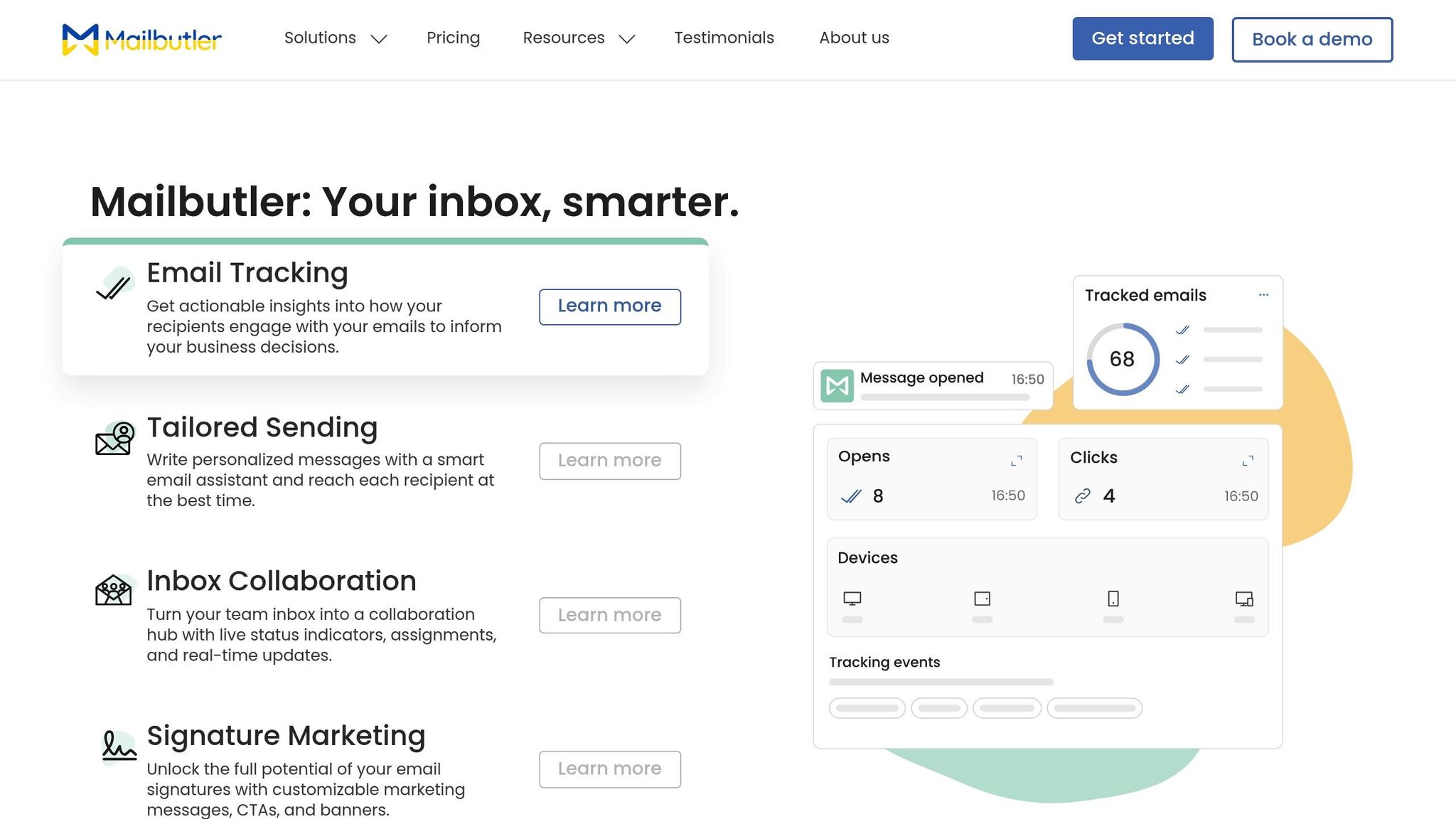
Mailbutler offers a seamless way to enhance your existing email client, turning it into a robust tracking tool. Following in the footsteps of tools like Salesflare and HubSpot, it simplifies real-time email tracking without requiring a platform switch.
With a 4.5/5 rating on the Chrome Web Store and 4.4/5 on the Mac App Store [20], Mailbutler is a favorite for professionals who want advanced tracking features without complicating their workflow.
Real-Time Tracking Capabilities
Using an invisible pixel, Mailbutler tracks email opens and link clicks, providing instant notifications on both desktop and mobile. It also offers detailed insights, including recipient engagement, timing, device type, and location data [18]. Hollie Barac, an Accountability and Productivity Partner, highlights its utility:
"Mailbutler allows me to glance over my inbox and see which emails need actioning, what’s still waiting to be opened by the recipient, and so much more." [20]
Mailbutler scores a 9.0/10 in automated email deliverability tests and is fully compatible with Apple’s Mail Privacy Protection. It also adheres to GDPR standards, ensuring user privacy [1][20].
Pricing and Affordability
Mailbutler offers four pricing tiers, billed annually:
- Starter Plan: $4 per user/month, includes basic tracking with a visible tracking image.
- Professional Plan: $7 per user/month, adds real-time notifications, templates, and mail merge capabilities.
- Smart Plan: $11 per user/month, includes full engagement history, device and location tracking, and per-recipient tracking.
- Business Plan: Custom pricing with CRM integration (HubSpot, Salesforce) and custom tracking subdomains.
A 14-day free trial allows users to explore all features without needing to provide credit card details [19].
Integrations with Email Platforms
Mailbutler integrates effortlessly with Apple Mail, Gmail, and Outlook through a quick extension installation. Liviu Tanase, CEO of ZeroBounce, praises its adaptability:
"I love the fact that Mailbutler integrates with so many platforms. Whatever app you use to stay productive and organized, you can easily add Mailbutler to your workflow." [20]
Setup takes just 30 seconds, and the tool works smoothly across different email clients. Unlike native Outlook read receipts, Mailbutler doesn’t require recipients to approve tracking requests [18]. This ease of use strengthens its role as a tool for improving real-time email tracking.
Additional Features Like Automation or CRM Tools
Mailbutler also includes lightweight CRM tools, such as tasks, notes, and contact management, directly within your inbox. The Smart and Business plans feature an AI assistant that helps with composing, summarizing, and identifying actionable tasks. The Business plan goes a step further by automatically syncing tracking events – like opens and clicks – into HubSpot and Salesforce. Users can even blacklist specific IP addresses to avoid internal notifications and use custom subdomains to boost sender reputation [18].
4. Mailtrack
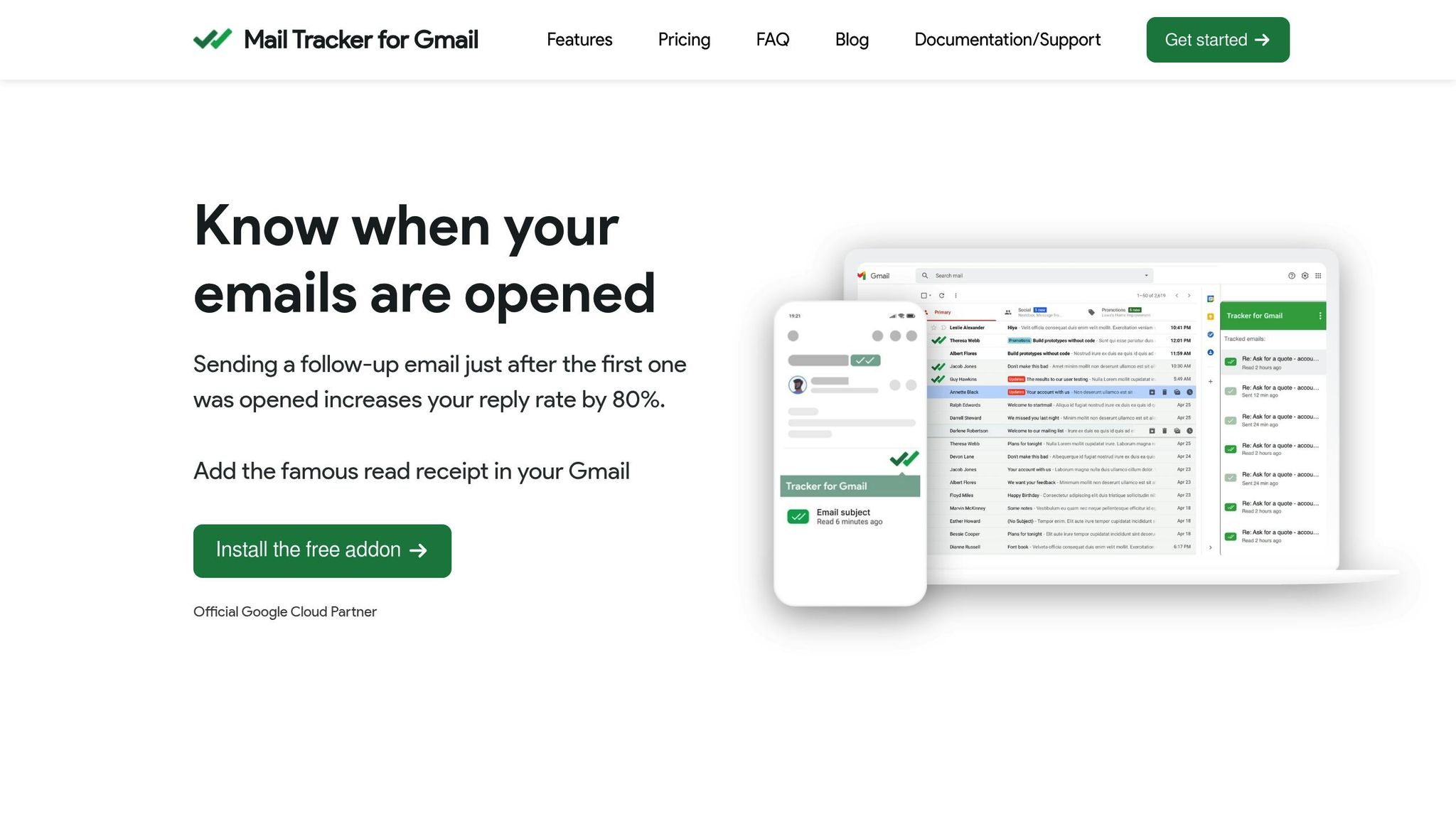
Mailsuite (formerly Mailtrack) delivers WhatsApp-style tracking directly within Gmail. With over 2 million users and 116,000 paying subscribers globally [22], it’s a favorite among professionals who want simple, effective email tracking without leaving their Gmail interface. The tool boasts an impressive 4.7/5 rating on the Chrome Web Store from more than 11,300 reviews [23] and a 4.6/5 rating on G2 [7]. A verified user, a realtor, shared their experience:
As a realtor, I need to know exactly when my clients open my emails. Anyone requiring precise tracking will find this tool exceptional. [22]
Real-Time Tracking Capabilities
Mailtrack uses a double-check system: one checkmark means your email was sent, and two checkmarks indicate it was opened [21]. But it doesn’t stop there – it tracks link clicks, PDF views, and even how long recipients spend on specific pages within documents [22]. Instant notifications (via push, desktop, or email) keep you updated whenever a recipient engages with your message [21].
Two standout features help identify potential leads: "Open Spike Alerts" notify you when an email is opened multiple times in a short span, while "Email Revival Alerts" let you know when an old thread gets reopened [22]. According to Mailtrack, following up immediately after these alerts can increase reply rates by 80% [21]. For group emails, Mailtrack even pinpoints exactly who opened the message [22]. Plus, it works seamlessly on Gmail’s Android and iOS apps [21].
Pricing and Affordability
Mailtrack sets itself apart by offering unlimited email tracking in its free plan – something most competitors limit to 10–20 emails per month [3]. However, the free version includes a "Sent with Mailsuite" signature on outgoing emails [3].
| Plan | Monthly Price | Annual Price | Key Features |
|---|---|---|---|
| Free | $0 | $0 | Unlimited tracking, double-check marks, includes branding signature |
| Premium | $5.99/user | $2.99/user/month | Removes branding, link tracking, mobile tracking, real-time notifications |
| Advanced | $9.99/user | $8.32/user/month | Group tracking, campaigns (up to 10,000 emails), CRM integration, document analytics |
Mailtrack also scored 9.0/10 in independent deliverability tests, showing its tracking pixels rarely trigger spam filters [1]. A Capterra reviewer praised the tool, saying:
A cut above the rest of the email tracker for Gmail software available. Super easy to use and a generous free plan. [21]
Integrations with Email Platforms
Mailtrack is designed exclusively for Gmail and works on both web and mobile apps for iOS and Android [23]. Unfortunately, it does not support Microsoft Outlook [15]. Installation is simple via a Chrome extension, and once installed, it automatically tracks all outgoing emails [23]. As an official Google Cloud Partner, Mailtrack undergoes annual independent security audits overseen by Google [21]. It uses AES-256 encryption and adheres to GDPR, ensuring that email body content is never stored or read [23].
Additional Features Like Automation or CRM Tools
Mailtrack goes beyond tracking with its Campaigns feature, enabling users to send up to 10,000 tracked emails directly from Gmail [22]. The Advanced plan adds CRM integration, syncing tracking data with your existing customer relationship management tools [23]. Other helpful features include email scheduling and follow-up reminders to optimize engagement timing [3]. To ensure accurate data, Mailtrack also filters out self-opens caused by the sender [23].
This combination of tracking, automation, and ease-of-use makes Mailtrack a powerful tool for email monitoring and engagement management.
5. Snovio Email Tracker
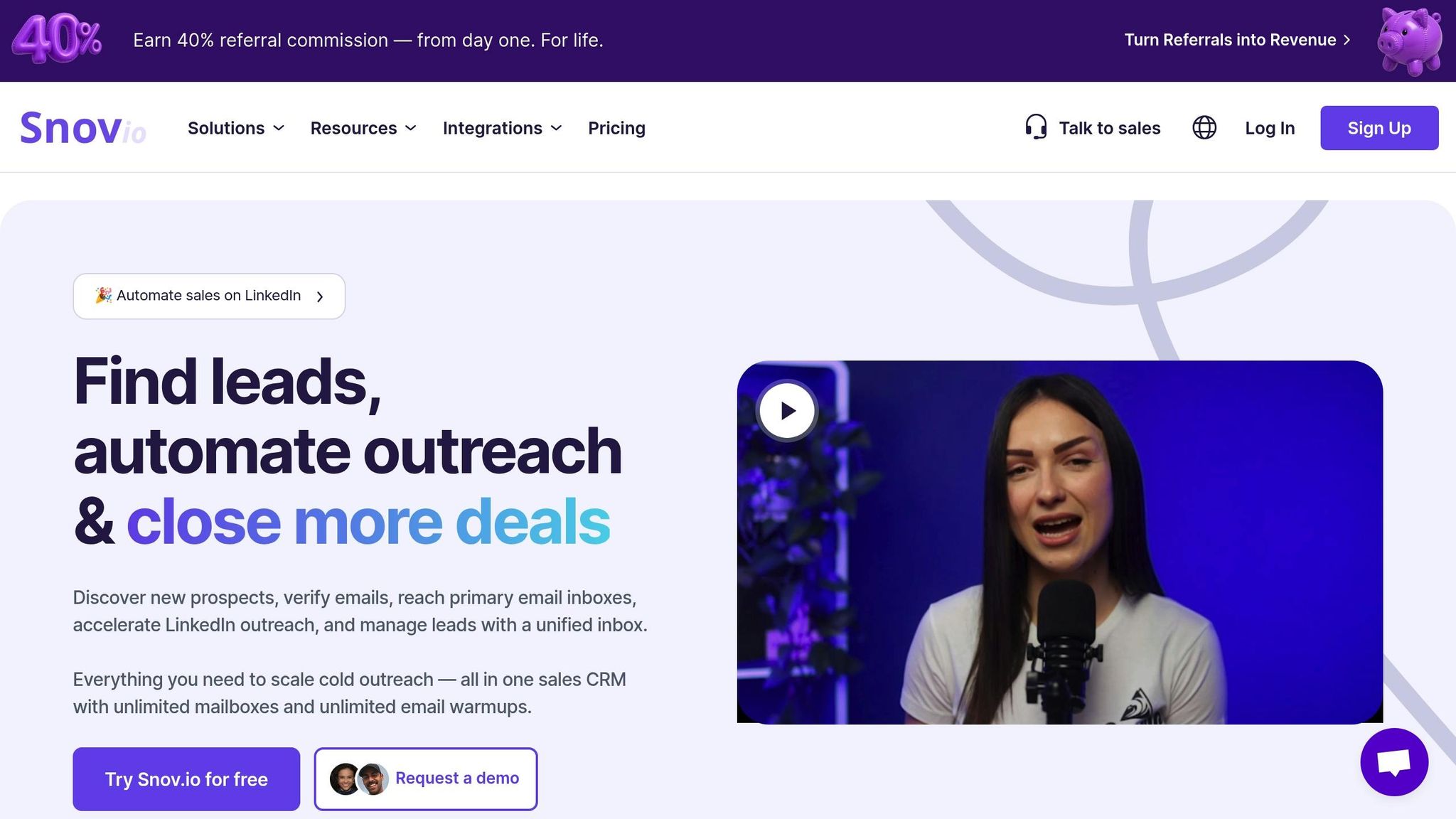
Snovio Email Tracker is a free tool trusted by over 100,000 users and backed by more than 7,000 five-star reviews [26]. One of its standout features is that it doesn’t clutter your emails with "Sent with…" signatures or watermarks [25][26]. The extension has earned accolades like #1 Product of the Day and #4 Product of the Week on ProductHunt [26], and it holds an impressive 4.9/5 rating on the Chrome Web Store [15][26].
Real-Time Tracking Capabilities
Using an invisible pixel and link tagging, Snovio provides live browser notifications whenever your emails are opened or links are clicked [25][26]. Within Gmail, it categorizes emails as Unopened, Opened, or Clicked, giving you immediate insights into recipient engagement [25]. A detailed sidebar logs every interaction, including dates and times, which helps evaluate what’s working – whether it’s subject lines, CTAs, or email design [25]. You can easily toggle tracking for individual emails by clicking the purple bell icon in the compose window [25]. These features make it a simple yet effective tool for tracking email performance.
Pricing and Affordability
Snovio Email Tracker is entirely free, offering unlimited tracking without any hidden fees [25][26]. Unlike other tools that insert distracting signatures, Snovio keeps your emails clean and professional. To access daily and weekly performance reports, you’ll need a free Snov.io account [25]. For those interested in advanced features like email finding and verification, Snov.io offers paid plans starting at $39/month. The Starter Plan includes 1,000 credits and allows outreach to up to 5,000 recipients [3]. However, it’s worth noting that Snovio scored 3.9/10 in deliverability tests, meaning tracked emails might occasionally end up in spam folders, particularly in professional mailboxes like Google Workspace or Office 365 [2][15].
Integrations with Email Platforms
The Snovio Email Tracker integrates exclusively with Gmail and Google Workspace through a Chrome extension [15][25]. Installation is simple: add the extension, activate it in your Gmail tab, and tracking controls will appear next to the Send button. The tool supports unlimited Gmail accounts, but it doesn’t work with Microsoft Outlook [15][8].
Additional Features: Automation and CRM Tools
In addition to tracking, Snovio offers helpful features like "Send Later" scheduling and follow-up reminders to improve your outreach timing [25][3]. It also integrates with Snov.io’s CRM suite, allowing users to manage leads from the discovery phase to engagement tracking. Performance summaries, available daily and weekly, provide a clear picture of trends over time [25].
6. Streak CRM
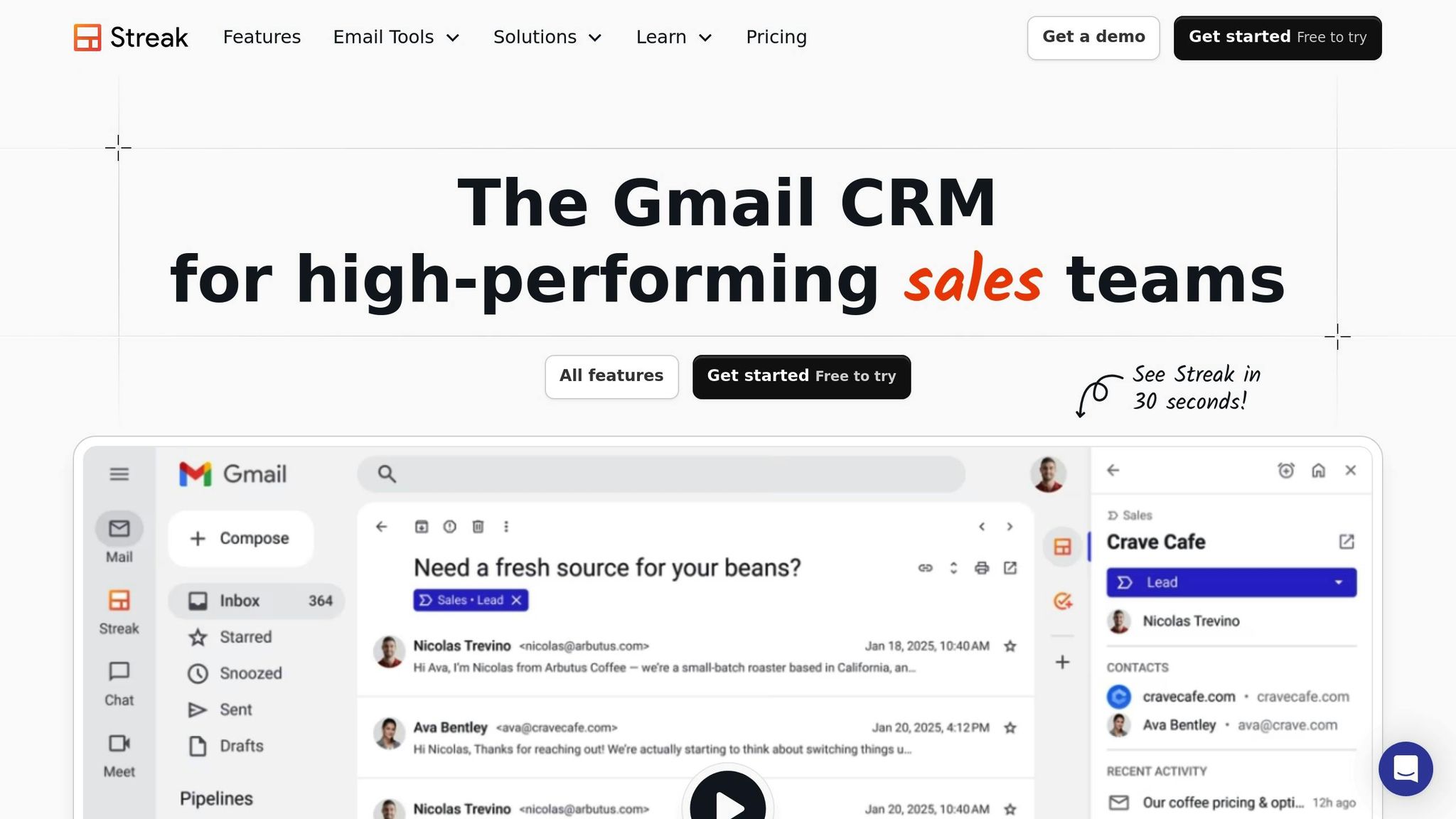
Streak CRM turns Gmail into a fully functional CRM, offering email tracking and real-time engagement insights right in your inbox [30]. With over 750,000 professionals and 4,000 companies relying on it [30], Streak provides a streamlined way to monitor and manage communications without leaving Gmail.
Real-Time Tracking Capabilities
Streak keeps you in the loop with instant browser and email notifications whenever someone opens your email. This lets you follow up while your message is still fresh in their mind [28][29]. But it doesn’t stop at open tracking – Streak also shows how many times an email is viewed, the recipient’s location (down to the city level), and whether they used a mobile device or desktop.
Activity is easy to spot with color-coded "eye" icons: green icons with timestamps (like "10h" or "2d") indicate recent views, and an orange icon appears during composition to signal active tracking. A sidebar provides a detailed tracking history for each conversation, and you can filter tracked emails to identify leads who engage the most.
Pricing and Affordability
Streak offers a Free Forever plan that includes unlimited email tracking. For advanced features like link tracking and enhanced CRM tools, paid plans start at $15 per user per month (billed annually) and go up to $129 per user per month for Enterprise plans (minimum 10 users) [30][31]. Annual billing comes with a 20% discount across all tiers. While the free plan is great for basic tracking, upgrading unlocks link tracking and other tools. With a deliverability score of 9.0/10, your emails are likely to land in primary inboxes instead of spam [1].
Integrations with Email Platforms
Built exclusively for Gmail and Google Workspace, Streak works as a browser extension compatible with Chrome, Safari, and Microsoft Edge [1][2]. It integrates seamlessly with Google Calendar, Google Contacts, and Google Meet, and can connect to over 9,000 apps through Zapier [32]. However, the mobile app has limitations and doesn’t support email tracking notifications [1]. This tight integration with Gmail makes Streak a strong choice for those focused on real-time email tracking.
Additional Features: Automation and CRM Tools
Streak goes beyond tracking, offering automation and CRM tools directly in your inbox. Its AI Co-Pilot summarizes deal histories, answers deal-specific questions, and auto-fills CRM fields based on email content. It also supports mail merge campaigns, allowing up to 1,500 emails per day for Google Workspace accounts (400 for personal Gmail) [30][31]. You can manage sales pipelines, set up automations, and generate reports – all without leaving Gmail. Plus, privacy controls let you toggle tracking on or off for individual emails [27][29]. These features make Streak a comprehensive tool for both email tracking and customer relationship management.
7. MailTracker by Hunter
MailTracker by Hunter is a Chrome extension designed specifically for Gmail users. It offers real-time email tracking by embedding an invisible one-pixel image into emails, which notifies you immediately when a recipient opens your message [33][34]. With over 150,000 users relying on its features [33], this tool emphasizes simplicity and privacy, avoiding inbox clutter or unnecessary email signatures.
Real-Time Tracking Features
MailTracker provides instant notifications on your desktop via Chrome or through email alerts whenever a recipient opens your email for the first time. Beyond that, it offers detailed metrics like total views and the type of device used. You can easily enable or disable tracking directly within Gmail’s compose window [34]. The tracking process is discreet, ensuring recipients are unaware of any monitoring.
Pricing Options
MailTracker offers two main pricing plans. The Forever Free plan allows tracking for up to 20 emails per month without adding any branding. For those needing more, the Growth plan costs $20 per user per month (billed annually) or $29.99 monthly. This plan includes additional features like link tracking, follow-up reminders, CSV export, and scheduled tracking [35]. For teams of up to 10 members, discounts are available, along with access to a dedicated Success Manager. While the extension has an impressive 4.7/5 rating on the Chrome Web Store, some users have noted an increase in pricing for the paid plans over time [6][15].
Compatibility and Integrations
MailTracker is exclusively compatible with Gmail and Google Workspace, meaning it does not support platforms like Outlook or Apple Mail [34][2]. It is designed with privacy in mind, requiring no permissions to read, manage, or delete emails. It also does not access or store sensitive information such as email subjects, recipients, or content. Additionally, MailTracker integrates with Slack for real-time notifications and connects with Hunter Sequences for automated outreach and bulk email tracking [34][35].
8. GMass
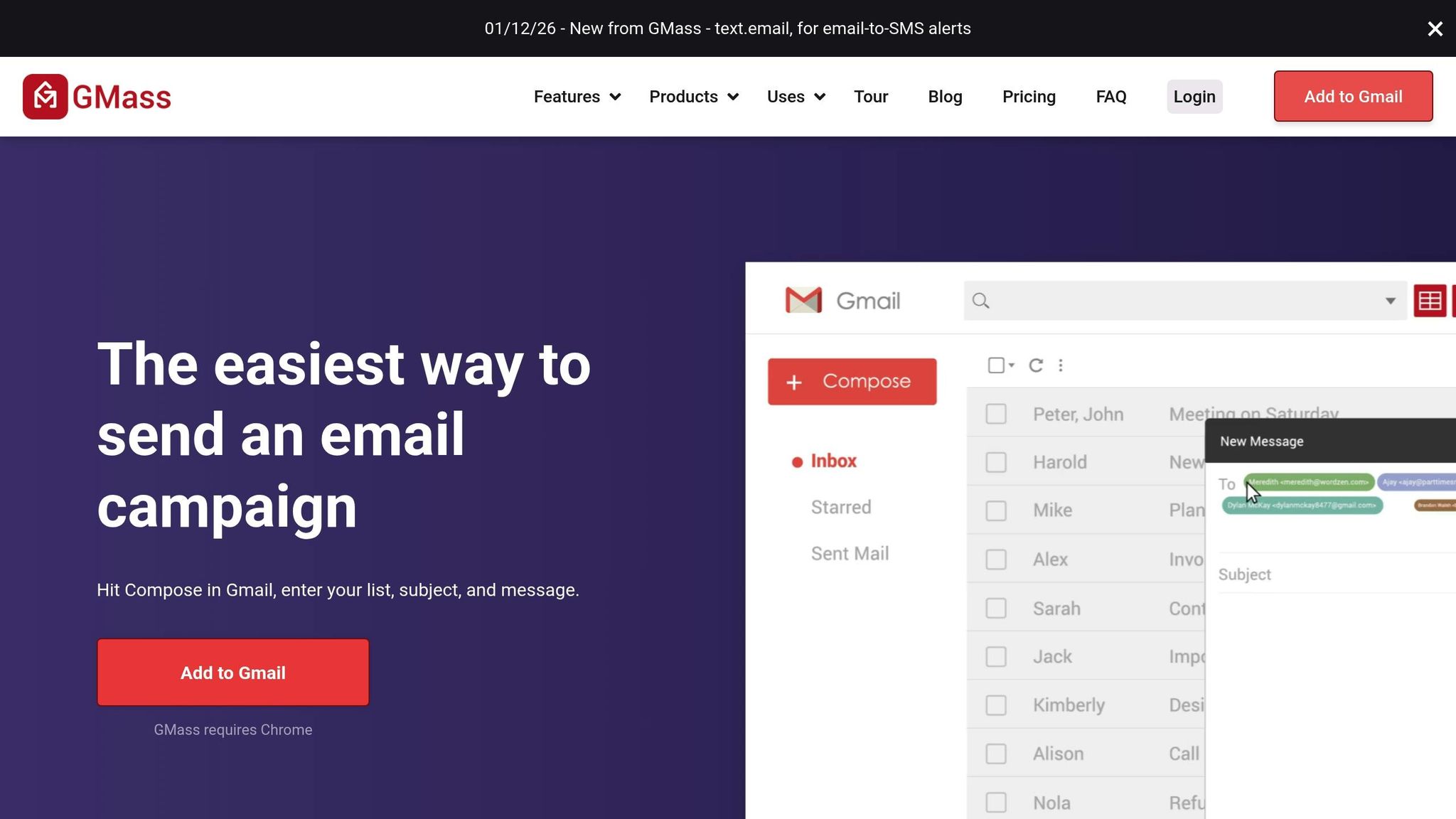
GMass is a Chrome extension designed for Gmail users, offering real-time email tracking right from your inbox. With over 300,000 users and more than 7,500 5-star reviews [38], GMass has facilitated the sending of over 9 billion emails in the past decade [39]. It boasts a 4.8/5 rating on Capterra and a 4.7/5 rating on G2 [7], with many users appreciating its seamless integration into Gmail.
Real-Time Tracking Capabilities
GMass provides a web-based report with live updates on key metrics like opens, clicks, and unsubscribes. It tracks nine essential data points, including total recipients, unique opens, and clicks, and delivers this information through automated emails, a centralized dashboard, or shareable links – no login required.
One standout feature is its domain-level reporting, which compares engagement across email providers (e.g., @google.com vs. @outlook.com). To ensure accuracy, GMass includes a Tracker Blocker Chrome extension that filters out false triggers caused by Google bots. As GMass founder Ajay Goel explains:
If you’re going to make major strategy decisions based on your email analytics, it’s important those numbers are as accurate as possible [36].
These detailed analytics are paired with flexible pricing options.
Pricing and Affordability
GMass updated its pricing as of January 1, 2026. Here’s a breakdown:
- Standard Plan: $29.95 per month (or $20.00 per month with annual billing).
- Premium Plan: $39.95 per month (or $29.00 per month annually), including features like sequences, follow-ups, API access, and A/B testing.
- Professional Plan: $59.95 per month (or $49.00 per month annually), offering inbox rotation via MultiSend and high-priority support.
- Team Plans: Starting at $175 per month for five users.
All paid tiers include unlimited emails, contacts, and campaigns, with annual billing offering noticeable savings [37][39].
Beyond tracking and pricing, GMass steps up with advanced automation tools.
Additional Features: Automation and CRM Tools
GMass simplifies email automation with follow-up sequences of up to eight stages, triggered by recipient actions like not replying, not opening, or clicking a link. It integrates directly with Salesforce and HubSpot, syncing email activity and contact data [7]. Its live Google Sheets integration enables mail merges and auto-sends emails when new rows are added [7][40].
Other standout tools include the Email List Builder, which scans Gmail archives for specific keywords or interactions, and the Spam Solver, which tests emails against spam filters before sending. Impressively, 99% of users report excellent deliverability rates with GMass [7].
9. Mixmax
Mixmax is a sales engagement platform that integrates seamlessly with Gmail to provide real-time tracking. With a user base of around 10,000 customers globally [50], it’s a great option for teams looking for efficient tracking tools without unnecessary complications. It connects to Gmail through a Chrome Extension and supports Microsoft Outlook via a dedicated add-on.
Real-Time Tracking Capabilities
Mixmax excels in tracking email opens, link clicks, and attachment downloads in real time [41][42]. Its Live Feed sidebar gives you a chronological timeline of recipient interactions directly within your inbox. If you’re sending emails to multiple recipients, it even identifies which individual engaged with your message [46]. The platform also provides details like the recipient’s approximate location (based on IP address), device type, and browser [43].
You can set up real-time alerts – delivered via desktop notifications, email, or Slack – to notify you of key actions like email opens or link clicks. For added insight, the AI Engagement Score highlights when a prospect shows heightened interest, ensuring you act at the right moment [41][45].
Brex, for example, achieved impressive results using Mixmax, reporting an 85% open rate and a 40% reply rate on cold outbound email sequences. Outbound efforts contributed to 30% of their total signups. Sam Blond, Chief Sales Officer at Brex, shared:
We see an 85% open rate on our outbound email sequences and a 40% reply rate to those cold sequences. Outbound accounts for 30% of our signups right now [44].
Pricing and Plans
Mixmax offers a free plan with up to 20 tracked emails per month [46][47]. For those needing more robust features, paid plans include:
- Inbox Copilot: $29 per user/month (billed annually) or $34 per user/month (billed monthly) for unlimited email tracking and smart signals.
- Engagement Copilot: $49 per user/month (billed annually) or $65 per user/month (billed monthly), adding multi-channel sequences and AI-powered sequence creation.
- Mixmax Suite: $89 per user/month (billed annually) or $105 per user/month (billed monthly), which includes all available features [47].
Integrations with Email Platforms
Mixmax integrates with tools like Gmail, Google Calendar, Salesforce, HubSpot, Slack, and LinkedIn [41][45][47]. Its sidebar allows you to access real-time engagement signals, recipient profiles, and CRM data without leaving your inbox [48][49][50]. While tracking is available for Outlook users through the Mixmax web app, certain in-inbox tracking features are currently unavailable [42].
Automation and CRM Tools
Beyond tracking, Mixmax offers advanced automation and CRM capabilities. It supports multichannel sequences across email, phone, and LinkedIn, enabling personalized outreach. With bi-directional synchronization for Salesforce and HubSpot, you can update CRM records directly from your inbox.
Automation tools like IF/THEN rules handle repetitive tasks, such as routing leads based on ownership in Salesforce or triggering actions tied to specific dates. The AI Smart Send feature schedules emails for optimal engagement times, and you can embed polls, surveys, and calendar links directly into emails to encourage interaction.
Additional tools include an in-box dialer that logs calls to CRMs or Gong and a Sidechat feature for team collaboration on emails without leaving your inbox.
Hostfully experienced a 576% year-over-year increase in pipeline generation after adopting Mixmax. Federico Dominguez, Sales Operations Director at Hostfully, noted:
Mixmax helped our sales and business development teams increase pipeline generation by 576% year over year. We’re always updating our sequences, always seeing what’s working and what’s not [41].
Next, we’ll dive into another leading option for real-time email tracking.
10. Right Inbox
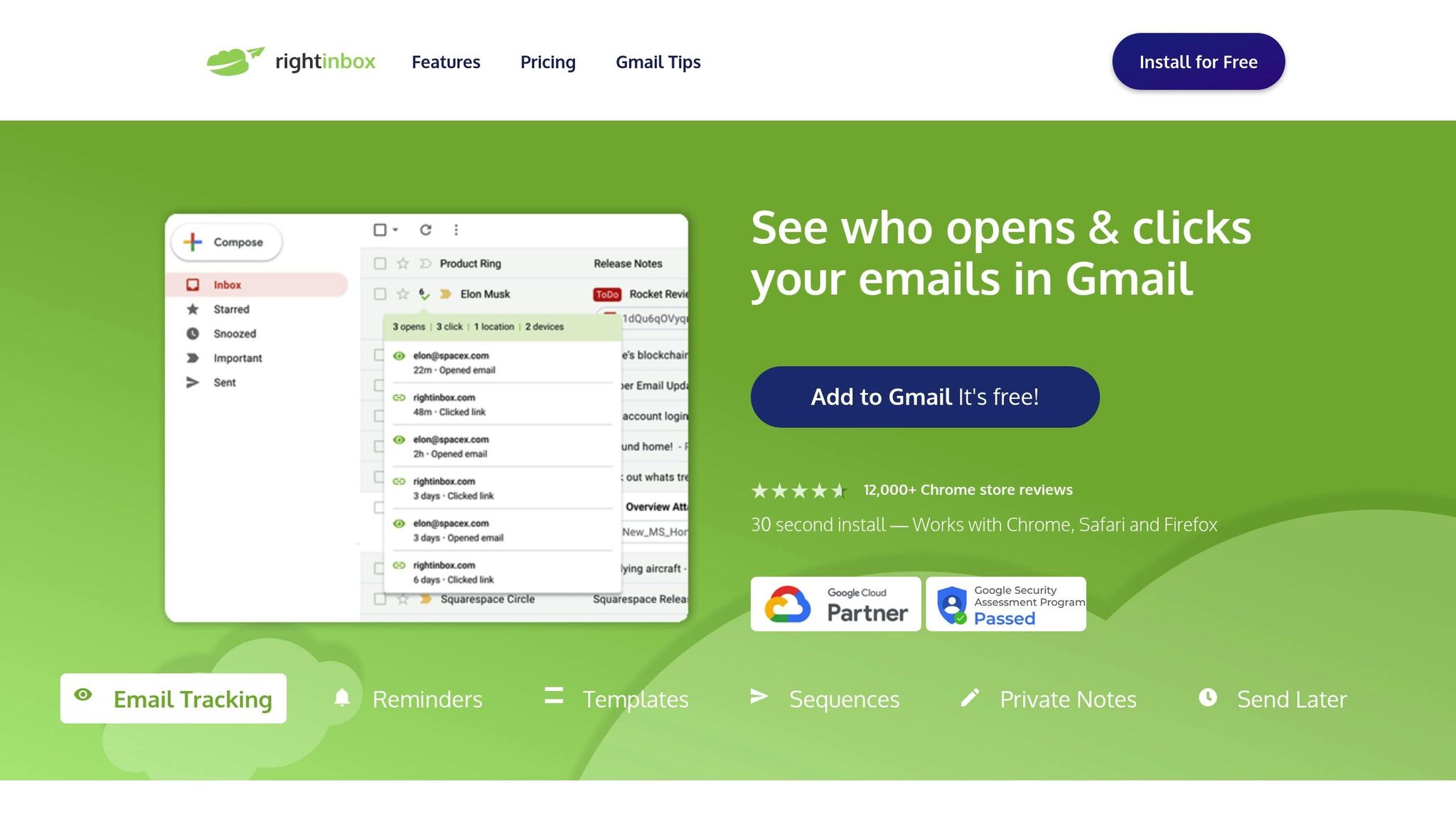
Right Inbox stands out as a specialized email tracking tool designed for Gmail and Google Workspace users. With over 250,000 professionals relying on it and more than 12,000 reviews on the Chrome Web Store, it’s a trusted choice for many [53]. The extension installs in just 30 seconds and works smoothly on Chrome, Firefox, and Safari browsers [53].
Real-Time Tracking Capabilities
This tool provides instant notifications in the bottom-left corner of your screen whenever someone opens your email or clicks a link. It tells you who opened the email, when they opened it, and how many times they’ve interacted with it [51][52]. You can view tracking details directly in Gmail’s "Sent" folder by hovering over the eye icon next to any sent email. It even tracks the recipient’s approximate location, device type, and browser, and works seamlessly on mobile devices [53]. Emails may briefly appear in your "Drafts" folder for about a minute while the tracking pixel and links are being set up [51]. This level of precision makes it a go-to tool for real-time insights.
Pricing and Affordability
Right Inbox offers a freemium model that integrates easily into your daily email routine. The free plan allows for 5 tracked emails per month, along with 10 scheduled emails, reminders, and private notes [53]. For unlimited tracking, reminders, and recurring emails, paid plans start at $7.95 per month (billed annually). There’s also a Professional Plan available for $14.95 per month [52][7].
Integrations with Email Platforms
Right Inbox is tailored exclusively for Gmail and Google Workspace users [53]. Its CRM Sync feature automatically logs email activity into your preferred CRM, helping you connect engagement data with the customer journey. However, it does not currently support Outlook [24].
Additional Features
Right Inbox goes beyond tracking with features like Sequences, which send automated follow-up emails if a recipient hasn’t responded or opened your message [53]. You can also schedule emails with the Send Later function, set up recurring emails, and use one-click templates to save time on repetitive tasks [53]. Other productivity tools include private notes for email threads, custom signatures, an AI-powered email summarizer, and end-to-end encryption for secure communications [53].
Feature and Price Comparison
Here’s a consolidated table summarizing the features and pricing of the email tracking tools discussed earlier. Use it to decide based on your budget, preferred platform, and essential features.
Some tools, like Snovio’s email tracker, offer free extensions, while others, such as Salesflare, start at $29 per month and provide more advanced CRM capabilities. If you’re looking for affordable options, Right Inbox begins at $7.95 per month, and Mixmax starts at $9 per month, catering to productivity needs.
| Tool | Platforms | Free Plan | Price | Best For |
|---|---|---|---|---|
| Salesflare CRM | Gmail, Outlook | Trial Only | $29/month | B2B sales teams needing high deliverability (9.4/10) |
| HubSpot Sales Hub | Gmail, Outlook | 200 notifications/month | $15/seat/month | Enterprise CRM with predictive lead scoring |
| Mailbutler | Gmail, Outlook, Apple Mail | Basic tracking | ~$5/month | Apple Mail users and multi-platform needs |
| Mailtrack | Gmail only | Unlimited (with signature) | ~$8.30/month | High-volume Gmail users (3,000,000+ users) |
| Snovio Email Tracker | Gmail only | Unlimited tracking | $39/month | Lead generation and outreach campaigns |
| Streak CRM | Gmail only | 50 emails/month | $49/user/month | Gmail-integrated CRM pipelines |
| MailTracker by Hunter | Gmail only | 20 emails/month (no signature) | $20/month | Invisible tracking without branding |
| GMass | Gmail only | Free trial | $25/month | Mass email with auto name detection |
| Mixmax | Gmail only | Basic tracking | $9/month | Team collaboration and templates |
| Right Inbox | Gmail only | 5–10 emails/month | $7.95/month | Scheduling and productivity features |
If you’re an Outlook or Apple Mail user, your choices narrow to tools like Salesflare, HubSpot, and Mailbutler. Gmail users, however, can access the full lineup. Keep in mind that free plans often come with compromises, such as branding or email limits. For instance, Salesflare boasts a 9.4 deliverability score, far surpassing Snovio’s 3.9, which could be a deciding factor in inbox performance [1].
Conclusion
When choosing an email tracker, consider your platform, budget, and the features you need. Gmail users have a wide range of choices, while Outlook and Apple Mail users often turn to options like Salesflare, HubSpot, and Mailbutler [1][54].
Deliverability should always be top of mind. As Jeroen Corthout, Co-Founder & CEO of Salesflare, points out:
The result of choosing the wrong (cheap or free) email tracking software can be a disappointing and even painful experience [15].
Free tools may seem appealing, but they often fall short in deliverability compared to paid versions [1][2]. If your emails end up in spam folders, the tracking data becomes useless. Striking the right balance between cost and deliverability is key.
Budget matters, but so does professionalism. Free plans frequently come with limitations, such as capped tracking volumes – HubSpot’s free version, for instance, limits you to 200 notifications per month – or mandatory "Sent with…" signatures that can feel unprofessional in B2B outreach [1][4]. Paid plans, starting as low as $5 to $7.95 per month, often eliminate these issues by offering unbranded, cleaner experiences [1].
Take advantage of free trials, typically lasting 7 to 14 days, to test deliverability, notification speed, and overall usability [4][6]. Send test emails to yourself to ensure tracking pixels are discreet and no unwanted branding appears [4]. Use this trial period to decide whether you need a simple tracker or a more comprehensive CRM-integrated tool with advanced features like pipeline management [3][5]. This hands-on approach helps you pick a solution that transforms email tracking into actionable insights.
The right tool will make email tracking precise and effective. Use free tiers and trials to find the option that aligns with your team’s needs, platform, and workflow.
FAQs
What are the main differences between free and paid email tracking tools?
Free email tracking tools are handy but often come with strings attached. For instance, they might limit how many emails you can track each month or include their branding – like logos or signatures – on your emails. These tools are usually geared toward basic needs and don’t always offer advanced functionality.
On the other hand, paid email tracking tools step it up a notch. They typically provide unlimited tracking, real-time notifications, and advanced integrations with other platforms. Plus, they often let you remove branding, customize features, and access in-depth analytics, making them a solid choice for professionals or anyone managing a high volume of emails.
How do email tracking tools help improve email deliverability?
Email tracking tools play a crucial role in ensuring your emails actually reach your audience. They work by analyzing factors like sender reputation, verifying whether email addresses are accurate, and spotting potential problems such as spam triggers or blacklisting. This means your emails are more likely to land in inboxes instead of getting stuck in spam folders.
On top of that, these tools offer valuable insights into how your emails perform. This data helps you fine-tune your strategy and maintain a strong sender reputation over time. By tackling deliverability issues head-on, email tracking tools can help you get the most out of your campaigns.
What is the best email tracking tool for seamless CRM integration?
For effortless CRM integration, Salesflare stands out as a strong option. Its advanced email tracking capabilities and smooth integration with various CRM systems make it a go-to tool for many businesses.
This platform makes syncing email activity with your CRM straightforward, keeping your data well-organized and easy to use. Salesflare is particularly favored by companies aiming to combine email tracking and customer relationship management into a single, efficient solution.